Version Info and System Requirements
Before you download, check that your phone meets the minimum requirements. The eb99 App runs smoothly on most popular Android phones in Vietnam today.
What makes the app different?
The app is built for phone screens and mobile networks in Vietnam — no VPN, no blocks, no need to go through a browser every time.
Fast Loading on 3G/4G
eb99 App compresses data for Vietnamese connections. You're in a game within seconds whether you're on 3G or 4G in a mid-signal area — no stutter, no dropped connection mid-bet.
Deposits & Withdrawals via MoMo & ZaloPay
Top up with MoMo, ZaloPay, VNPay or a bank transfer right inside the app — no need to open a second app. Money hits your account within 3 minutes, and withdrawals reach your e-wallet in about 36 minutes with no need to contact support.
Instant Bonus Alerts
Turn on push notifications for daily reload bonuses, live lottery results and V-League match updates the moment the score changes — you won't miss a chance even when you're at work.
High-Definition Live Casino
Live dealer video from Sexy Gaming and Playtech is tuned for mobile screens with auto-adjusting resolution. You can clearly see the cards, dice and dealer's moves even on the smallest 5-inch screen.
Over 5,800 Games in Your Hands
The whole catalogue is in the app, from Red Tiger, JDB and FA Chai slots to Habanero fish shooting, Sic Bo dice and the lottery. Filters by provider and RTP help you find your favourite game in under 10 seconds.
Vietnamese Support Chat Inside the App
The Vietnamese live chat button sits right on the app's main navigation bar — no phone call or email needed. The team is online 24/7 and replies within minutes, handling both account and transaction issues in the same chat session.
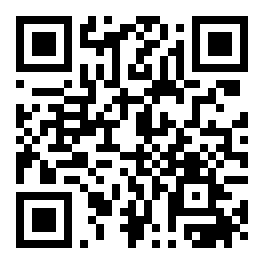
with your phone camera
to download the APK
Everything You Need in One App
- No browser needed: Open the app and you're straight into the games — no web address to remember, no blocked pages.
- Fingerprint / face login (Android 9.0+): Faster account security without typing your password every time.
- 90 days of transaction history in the app: Check deposits, withdrawals, balance and turnover whenever you like without contacting support.
- Data saver mode: Automatically lowers video quality on weak mobile networks, keeping things smooth even outside good coverage.
App or Browser: Which Should You Use?
Both get you into the same eb99 account, but the app wins on speed and on features built for mobile.
| Feature | eb99 App | Mobile browser | Desktop browser |
|---|---|---|---|
| Launch speed | Under 2 seconds | 3–5 seconds | 2–4 seconds |
| Mobile data saving | Yes | — | — |
| Bonus push notifications | Yes | — | — |
| Fingerprint / face login | Yes | — | — |
| Full game list | Yes | Yes | Yes |
| Built-in MoMo / ZaloPay deposits | Yes | Yes | Yes |
| Play Live Casino | HD | Standard | HD |
| What to Do When the Domain Is Blocked | Yes | Need a New Link | Need a New Link |
| iOS Support (iPhone/iPad) | PWA (Add to Home Screen) | Full | N/A |
| Device Storage Needed | 58 MB | 0 MB | 0 MB |
If you mostly play on a computer, open eb99.ws in your browser. Android users should install the APK for the best experience.
eb99 App Security and Permissions
The APK file comes straight from eb99 servers, not a third-party app store. These are the permissions requested at install, and each one serves a specific in-app function.
256-bit SSL Encryption
All data between the App and eb99 servers is encrypted with 256-bit SSL, the same level of protection big Vietnamese banks such as Vietcombank and BIDV use. Your account details, balance and transaction history are never sent as plain text.
Camera Permission (Optional)
The App asks for camera access only when you verify your account (KYC) by photographing your ID card or passport. If you are not ready for your first withdrawal, you can deny this and still play and deposit as usual. The camera never runs in the background.
Network Access
The App needs an internet connection to load game data, process transactions and update live scores. There is no offline mode. We do not collect nearby Wi-Fi networks — network access is only used to talk to eb99 servers.
Push Notification Permission
Lets the App send reload bonus alerts and match updates. You can switch off each type in the App settings or in Android's notification settings — gameplay is unaffected. We send no more than 2 promotional notifications per day.
Installing the APK on Android: 5 Simple Steps
The whole process, from download to opening the game, takes about 2–3 minutes. The key step is allowing installs from unknown sources — standard practice for any APK outside CH Play.
Allow Unknown Sources
Go to Settings → Security → Install unknown apps on your Android device. Turn on the switch for the browser you are using to download the APK. On Android 11+, this prompt appears on its own when you first open the file — no manual settings needed.
Download eb99.apk
Tap the "Download APK for Android" button on this page. Your browser asks for confirmation — choose "Download". The file is 58 MB and takes about 20–60 seconds depending on your connection. It is saved to your phone's Downloads folder.
Open the File and Confirm the Install
Open the download notification or go to File Manager → Downloads and tap eb99.apk. An install confirmation screen shows the package name and permissions. Tap "Install" to continue. Installation finishes in about 10–20 seconds.
Open the eb99 App and Log In
Once installed, tap "Open" or look for the eb99 icon on your home screen. If you already have an account, enter your username and password. Your first login on a new device may require SMS or email verification to protect your account.
Create an Account If You Don't Have One
No eb99 account yet? Tap "Register" on the welcome screen, enter your Vietnamese phone number, set a password and enter the OTP sent to your phone. Signing up takes under 2 minutes — then you can deposit and start playing right in the App.
iPhone and iPad Users: Add to Home Screen
iOS won't let you install an APK, but you can add eb99 to your Home Screen as a proper app through Safari. The feature is called PWA (Progressive Web App) — it works partly offline and can receive push notifications.
-
1Open Safari (not Chrome or Firefox) and go to eb99.ws. Make sure you're on iOS 14.0 or later for full PWA support.
-
2Tap the Share icon (the box with an arrow pointing up) on Safari's bottom toolbar. The share sheet slides up from the bottom of the screen.
-
3Scroll down the options list and choose "Add to Home Screen". Name it eb99, then tap "Add" in the top right.
-
4The eb99 icon shows up on your Home Screen just like a regular app. Tap it to play — Safari runs in the background without the address bar, so it feels like a real app.

What Can You Play on the eb99 App?
The full catalogue of more than 5,800 games — from high-RTP jackpots to live baccarat tables — is on the App, with the same interface and odds as the web version.


Installation Trouble? Find a Quick Fix Here
Most APK install errors have a clear cause and a simple fix. Find the symptom you're seeing in the table below:
| Symptom | Usual cause | How to fix it |
|---|---|---|
| "Installation blocked" or "Unknown source" | Installing from unknown sources isn't enabled for the browser you're using. | Go to Settings → Security → Install unknown apps, enable it for Chrome or whichever browser you're using to download the APK. Then try opening the file again. |
| "Parse error" or "App not installed" | The APK file didn't finish downloading because the connection dropped or was interrupted. The file is corrupted. | Delete the old file in your Downloads folder, connect to a stable Wi-Fi network and download again from this page. Make sure the device has enough free storage (at least 150 MB). |
| The app installs but won't open, or crashes right away | Android version is below 8.0, or the device doesn't have enough RAM to run the app. | Check your Android version in Settings → About phone. Android 8.0 is the minimum. Close background apps before opening eb99 App. |
| Black screen or games won't load in the App | Weak or unstable internet connection. Sometimes caused by a faulty app cache after an update. | Check your connection. Try switching from Wi-Fi to 4G or the other way round. If it still fails: Settings → Apps → eb99 → Clear cache, then reopen. |
| No OTP when registering in the App | The phone number was entered in the wrong format, or the carrier is slow to send the SMS during peak hours. | Enter your phone number without the leading 0 (for example: 912345678 instead of 0912345678). Wait 2 minutes, then tap "Resend". If it still doesn't arrive, contact live chat for manual verification. |
Our Vietnamese-speaking support team is online 24/7. Open live chat in the App, or go to eb99.ws and tap the Chat button at the bottom corner to get help within minutes.
eb99 App Questions Answered
1. Is the eb99 APK safe, or does it contain a virus?
The eb99.apk file is packaged and distributed directly from our official server at eb99.ws — not through any third-party app store. Every new release is scanned with security software before it goes up on the server. To stay safe, only download the APK using the official download button on this page — not from forums or social media groups of unknown origin. You can also scan the file with Google Play Protect after downloading and before installing.
2. Can I install it on an Android 7 phone?
The minimum Android version for eb99 App is Android 8.0 (Oreo). On a phone running Android 7.x the App may install but isn't guaranteed to run smoothly — especially live casino and graphics-heavy games. Alternative: open eb99.ws in Chrome on your phone, which gives you the same experience as the App on Android 7.
3. How do I update eb99 App to the latest version?
The App shows an update prompt when you open it and a new version is available. Tap "Update Now" to download the new APK and install it over the old version — your account data and transaction history are unaffected. You can also check the version under App → Settings → About. The current latest version is 3.4.0, released on 21/11/2026.
4. Can I use the same eb99 account on several devices?
Yes, your eb99 account works on multiple devices at once — Android phones, iPhone (via Safari) and desktop browsers. Balances and betting history sync in real time. That said, we advise against sharing your login details with anyone else, since unusual activity can lead to your account being reviewed under our privacy policy. Each login from a new device requires a one-time OTP verification.
5. Does the App use a lot of mobile data?
Standard mode uses about 30–80 MB per hour for slots and fish shooting, and about 150–250 MB per hour for HD live casino video. Turn on Data Saver in App → Settings to cut usage by around 60% — dealer video drops to a lower quality but still plays smoothly on 3G/4G. For long live casino sessions, Wi-Fi is the better choice.
6. I forgot my password — how do I reset it in the App?
On the App login screen, tap "Forgot password?". Enter your registered phone number or username, then choose to receive an OTP by SMS. Once verified, set a new password right in the App — the whole process takes about 2 minutes. If your phone number is no longer active, contact live chat so we can verify your identity another way and restore access to your account.
7. After downloading the App, how do I deposit with MoMo?
Go to App → Deposit → Select MoMo. Enter the amount you want to deposit (minimum 60,000 ₫) and the system will generate a QR code or a temporary MoMo account number. Open the MoMo app on your phone, scan the code or transfer to the number provided. The money lands in your eb99 account within 3 minutes. If you don't have an account yet, sign up first and then make your deposit after logging in to the App.
Download the eb99 App — Free, Today
Over 5,800 games in your pocket, fast deposits and withdrawals via MoMo and ZaloPay, Vietnamese support 24/7. No account yet? Signing up takes just 2 minutes.
18+ · Play Responsibly · eb99.ws